



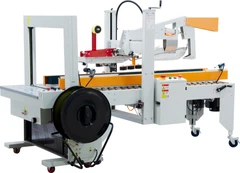
What are the software update procedures for an automated packing stacker?
Jan 02, 2026
Leave a message
As a reputable supplier of packing stackers, I understand the significance of software updates for these sophisticated automated machines. In this blog post, I'll delve into the software update procedures for an automated packing stacker, shedding light on the importance, steps, and best practices to ensure your equipment operates at its peak performance.
The Importance of Software Updates for Automated Packing Stackers
Automated packing stackers are at the heart of many production lines, streamlining the packing and stacking processes with precision and efficiency. Software updates play a crucial role in maintaining and enhancing these capabilities. They can introduce new features, improve existing functions, fix bugs, and enhance security.
New features can expand the functionality of your packing stacker, allowing it to handle different product types, sizes, and stacking patterns. For example, an update might introduce a new algorithm for optimizing the stacking arrangement, reducing wasted space and increasing the number of products that can be stacked per unit.
Bug fixes are equally important. Software glitches can cause errors in the packing and stacking process, leading to product damage, downtime, and increased costs. Regular updates ensure that these issues are addressed promptly, minimizing disruptions to your production line.
Security is another critical aspect. As technology advances, so do the threats posed by cyberattacks. Software updates often include security patches that protect your packing stacker from potential vulnerabilities, safeguarding your data and ensuring the integrity of your operations.
Software Update Procedures
1. Assessment and Planning
The first step in the software update process is to assess the current state of your packing stacker's software. This involves checking the version number and identifying any known issues or limitations. You can usually find the software version information in the machine's control panel or user interface.
Once you have a clear understanding of the current software, you need to research the available updates. As a packing stacker supplier, we regularly release software updates to improve performance, add features, and address any issues. You can visit our Packing Stacker page to check for the latest updates and release notes.
Based on your assessment and research, you should develop a detailed update plan. This plan should include the timing of the update, any necessary preparations, and a backup strategy. It's important to schedule the update during a period of low production activity to minimize the impact on your operations.
2. Backup and Testing
Before installing any software updates, it's crucial to back up all the data and settings on your packing stacker. This includes configuration files, stacking patterns, and any other custom settings. A backup ensures that you can restore the machine to its previous state in case of any issues during the update process.
Once you have a backup, it's recommended to test the update in a non - production environment. This can be a test bench or a similar packing stacker that is not part of the main production line. Testing the update allows you to identify any potential compatibility issues, bugs, or performance problems before applying it to your live machine.
3. Installation
When you're ready to install the software update, make sure the packing stacker is in a safe and stable state. This may involve stopping the production line, powering off the machine, and following any specific instructions provided in the update documentation.
The installation process typically involves downloading the update file from our official website and transferring it to the packing stacker. You can use a USB drive or a network connection, depending on the machine's capabilities. Once the file is transferred, follow the on - screen instructions to install the update. This may include accepting the license agreement, choosing the installation options, and waiting for the installation to complete.
4. Verification and Validation
After the installation is complete, it's essential to verify that the update was successful. Check the software version number in the control panel to confirm that the new version is installed. Then, perform a series of tests to validate the functionality of the packing stacker.


These tests should include running the machine through its normal operating cycles, stacking different types of products, and checking for any error messages or abnormal behavior. If you encounter any issues during the verification process, refer to the update documentation or contact our technical support team for assistance.
5. Training and Documentation
Once the software update is successfully installed and verified, it's important to provide training to your operators. New features and changes in the software may require additional knowledge and skills to operate the packing stacker effectively. We can provide training materials, online resources, or on - site training sessions to ensure that your operators are familiar with the updated software.
Documentation is also crucial. Keep a record of the software update, including the version number, installation date, and any issues or changes that occurred during the process. This documentation will be useful for future reference and for maintaining the machine's service history.
Best Practices for Software Updates
- Stay Informed: Regularly check our website and subscribe to our newsletters to stay updated on the latest software releases and security advisories.
- Follow the Manufacturer's Instructions: Always follow the instructions provided in the update documentation to ensure a smooth and successful update process.
- Test Thoroughly: Don't skip the testing phase. Testing in a non - production environment can save you time and money by identifying and resolving issues before they affect your production line.
- Keep a Backup: Regularly back up your data and settings to protect against data loss in case of any issues during the update.
- Train Your Operators: Investing in operator training ensures that your team can make the most of the new features and improvements introduced in the software update.
Conclusion
Software updates are an essential part of maintaining and enhancing the performance of your automated packing stacker. By following the proper procedures, conducting thorough testing, and providing adequate training, you can ensure that your machine operates at its best, delivering reliable and efficient packing and stacking solutions.
If you're interested in learning more about our Packing Stacker or Automatic Book Stacker products, or if you have any questions about software updates, please don't hesitate to contact us. We're here to help you optimize your production line and achieve your business goals.
References
- Industry standards and guidelines for automated packing stacker software updates.
- Manufacturer's documentation for the packing stacker models.
- Technical reports on the latest trends in packing stacker software development.
Send Inquiry